
Restaurants and hotels
Digital menus, promotional offers, opening hours, notices and guest information are scheduled by screen, location and playback time.
A system for centrally managing digital and advertising screens, menus, campaigns and notices across one or more locations.
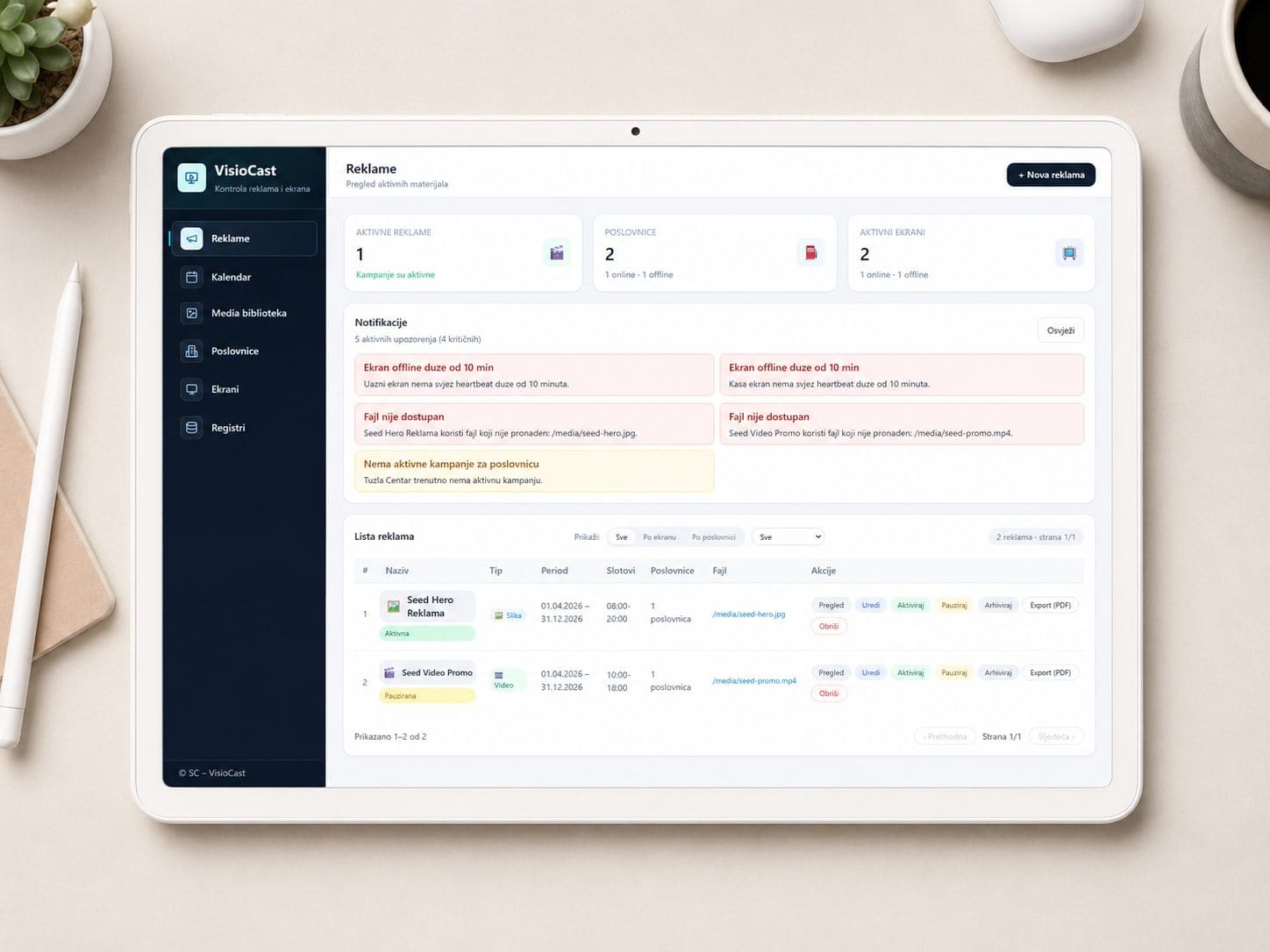
Everything you need to manage digital screens across all your locations.
Creating and managing digital menus, promotional offers and price lists.
Displaying advertisements, promotions and branded content on screens at business sites.
Internal messages, guest notices and information content on screens.
Scheduling content by day, time and location, with automatic publishing.
Manage every screen from one central dashboard, regardless of location.
Displaying useful information, such as opening hours, contact details and directions.
Digital Signage for business locations
VisioCast brings together content creation, publishing schedules and the screen network in a single dashboard. Menus, advertisements, promotions and notices can be assigned to a particular location or group of screens, with scheduling by day and time.
Digital menus, promotional offers, opening hours, notices and guest information are scheduled by screen, location and playback time.
Advertisements, campaigns and promotional prices can be published on a single screen, a selected group of screens or the entire network of business locations.
Internal messages, notices, contact details, directions and other information displays are managed from a central dashboard.
Four steps to complete control of your digital screens.
Connect screens across your locations to VisioCast — simply and without unnecessary complexity.
Create menus, advertising, notices and information using a visual editor.
Publish content to one screen or every screen at once, with schedules by day and time.
Monitor screen status, manage content remotely and analyse playback.
VisioCast is not priced as a one-size-fits-all package. Pricing depends on the scale of your operations, the number of locations, the modules selected and the level of support you require.
Frequently asked questions about screens, content and display management.
Digital Signage is the organised display of menus, advertising, promotions, notices and information on digital screens. VisioCast enables this content to be edited, scheduled and published from a central system.
Yes. The system is designed for the centralised management of screens at one or more locations.
Yes. Content can be organised by schedule, day, time or the requirements of individual screens.
No. It can be used for menus, advertising, notices and information in restaurants, hotels, shops and commercial premises.
A screen and suitable configuration are required to display content. During the presentation, we can assess exactly what you need.
Yes. Screens can be grouped by location, while content and playback schedules can be set by day, time and the needs of an individual site or group of screens.
Practical guides
Explore Digital Signage, screen network management and retail communication options for business locations.
Digital signage connects screens, content, locations and schedules in a system managed from one place, without manually swapping USB drives.
A screen network requires a clear structure of locations, schedules, responsibilities and campaign delivery controls—not files sent to each location.
Digital screens in retail can combine a company’s own promotions, supplier campaigns and locally relevant content, supported by precise scheduling and clear delivery reporting.
Send an enquiry to discover how VisioCast can improve communication across your locations.